sdlf-cicd
Note
sdlf-cicd is defined in the sdlf-cicd folder of the SDLF repository.
Simplified CICD with SDLF ≥ 2.10.0
Note
Also check the SDLF public workshop.
SDLF ≥ 2.10.0 has a simplified CICD setup that can be used with any source provider supported by AWS CodeBuild. SDLF creates two CodeBuild projects able to deploy SDLF constructs, leaving the configuration of the source step to the user:
sdlf-cicd-bootstrap, uploading SDLF constructs on S3 ready to be used by the CloudFormation service- they can also be published as CloudFormation modules on the private CloudFormation registry (
DEPLOYMENT_TYPEset tocfn-module) sdlf-cicd-{name provided by the user}, deploying the actual infrastructure.
They can be deployed with the ./deploy-cicd.sh script in the sdlf-cicd module:
./deploy-cicd.sh --help # provides details on the available options

# `main` can be changed to a more sensible name
./deploy-cicd.sh -p aws_profile main
Replace aws_profile with the name of the AWS profile giving access to the account SDLF CICD infrastructure will be deployed in. main is a user-provided name - feel free to use a different one, within constraints.
These CodeBuild projects requires an IAM role in the AWS account data infrastructure will be deployed (even if the account is the same the CodeBuild projects are in). This role can be deployed with the ./deploy-role.sh script in the sdlf-cicd module:
./deploy-role.sh --help # provides details on the available options

# the name must match the name used with ./deploy-cicd.sh, in this case `main`
./deploy-role.sh -p aws_profile main
Replace aws_profile with the name of the AWS profile giving access to the account SDLF data infrastructure will be deployed in. main is a user-provided name - it must match the name used with ./deploy-cicd.sh, in this case main.
Once the CodeBuild projects are created, the user can edit them manually to configure the source provider. Please refer to the AWS CodeBuild documentation for details on how to do this. sdlf-cicd-bootstrap should have a git repository containing a copy of the entire SDLF repository as source. sdlf-cicd-{name provided by the user} should use an empty git repository as source - this is the repository end users are going to work in, pushing CloudFormation templates referencing SDLF constructs, as seen in the public workshop.
./deploy-cicd.sh can be run multiple times in the same account if required, with different names. This can be useful if teams with different scopes are responsible for the data architecture in an account. For example:
./deploy-cicd.sh -p aws_profile platform
./deploy-cicd.sh -p aws_profile engineers
This would create the following:
sdlf-cicd-bootstrap- this is created only once, no matter how many times
./deploy-cicd.shis used in a given account. sdlf-cicd-platform- this CodeBuild project could be linked to a git repository owned by a data platform team, creating centralized storage layers with
sdlf-foundations. sdlf-cicd-engineers- this CodeBuild project could be linked to a git repository owned by a data engineers team, creating technical catalogs and data processing pipelines with
sdlf-datasetand the varioussdlf-stage-*.
Infrastructure - SDLF ≤ 2.10.0
Note
This section and the rest of the page does not apply to the setup described above.

sdlf-cicd is a special construct that can be used to deploy other SDLF constructs. An end-to-end example is available in the official SDLF workshop.
Usage
Glue Jobs Deployer
Deployment of Glue jobs can be handled by SDLF. This is an optional feature, enabled by setting pEnableGlueJobDeployer to true when deploying template-cicd-prerequisites.yaml. This will add a stage to all teams' pipelines and datasets CodePipeline:
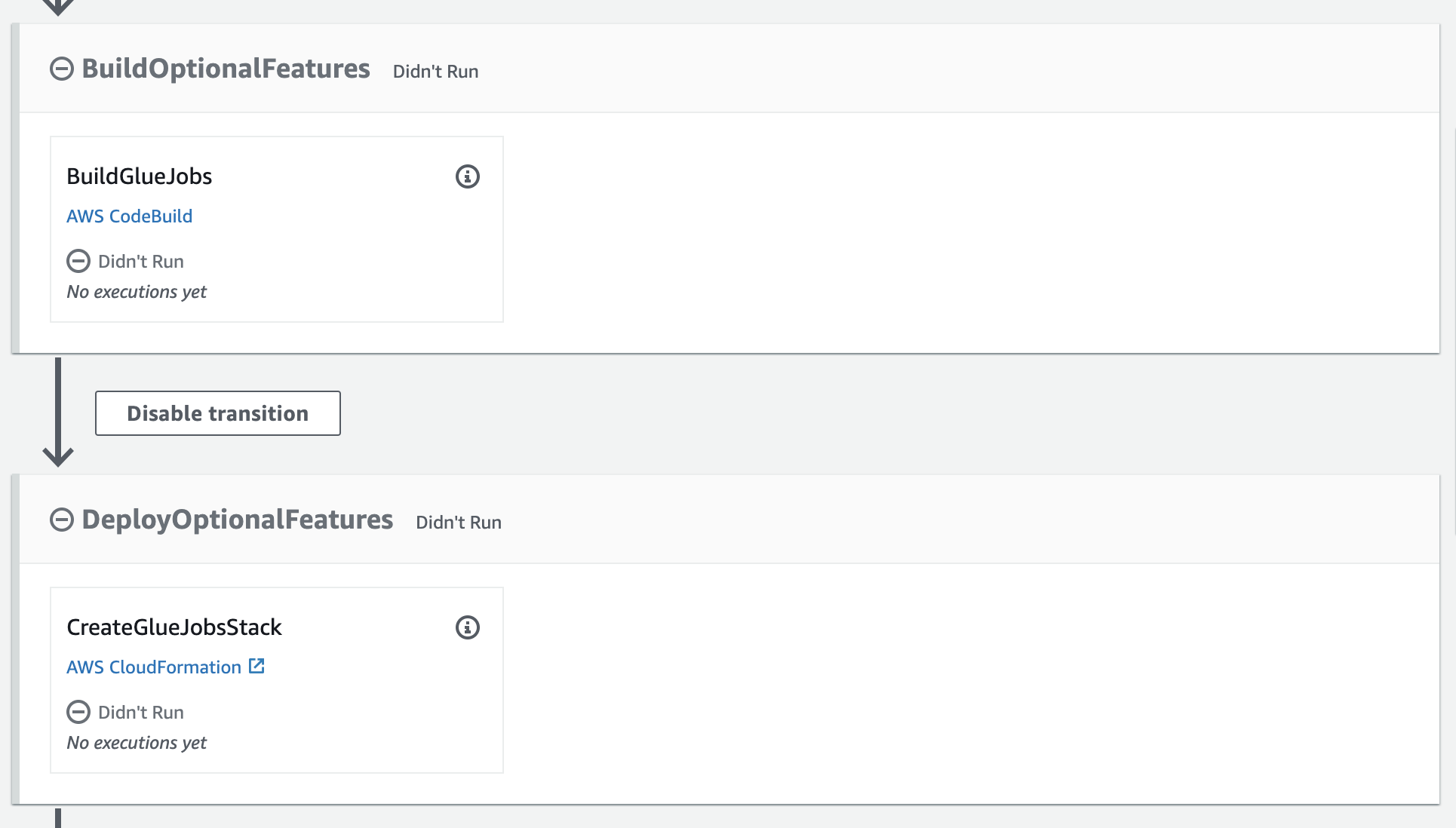
Now teams can add Glue jobs in their repository. Jobs are stored under the transforms directory, each in a subdirectory:
.
└── transforms
    └── legislators
        └── legislators.py
Glue jobs are deployed under the name sdlf-{team}-{directoryname}. In the case of the example this would be sdlf-{team}-legislators. Check template-glue-job.yaml in the sdlf-cicd repository to know more about the default configuration used.
When this feature is used in conjunction with VPC networking support, a Glue connection is created as well.
Lambda Layers Builder
Rnabled by setting pEnableLambdaLayerBuilder to true when deploying template-cicd-prerequisites.yaml.
GitLab
The creation of GitLab repositories will be performed through the GitLab API.
Populate:
/SDLF/GitLab/Url:: secure-string :: GitLab URL with trailing//SDLF/GitLab/AccessToken:: secure-string :: User access token/SDLF/GitLab/NamespaceId:: secure-string :: User/Enterprise namespace ID/SDLF/GitLab/CodeConnection:: string :: CodeConnections ARN
Interface
There is no external interface.